LUDIA = AI + UDL

Guide
Learn About UDL with LUDIA
New to UDL? Questions educators often ask, and how to explore them with LUDIA. A short guide you can read online.
Let’s design to the edges for every learner.

No-cost resources for designing with Universal Design for Learning

New to UDL? Explore six short parts with me as your guide, at your own pace.
The Aiming for ALL Collection has no-cost accessibility resources for every member of a learning community.
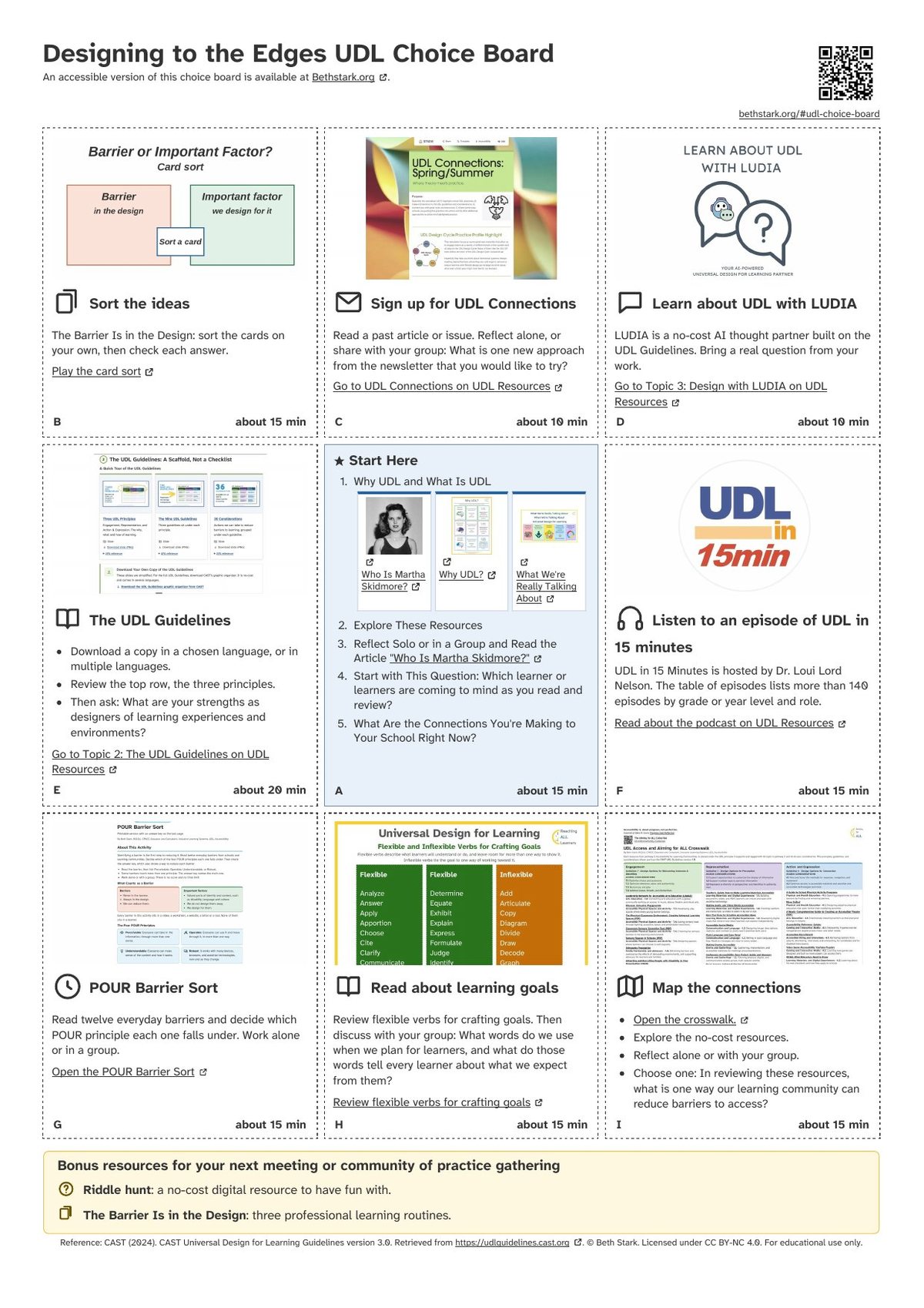
The Designing to the Edges UDL Choice Board is a ready-made professional learning board for your next meeting or community of practice gathering. It has nine activities, lettered A to I. Each takes 10 to 20 minutes and links to a page on this site.

This article is about the idea of average, how it plays a role in education, and why UDL starts with variability.

A poster that connects learner agency, the goal of UDL, to the brain networks and the UDL principles.

A poster that names five things we mean when we talk about Universal Design for Learning.
Learn About UDL with LUDIA is a short guide you can read online. UDL in 15 Minutes is a podcast where educators share how they use UDL in practice.
Guide
New to UDL? Questions educators often ask, and how to explore them with LUDIA. A short guide you can read online.

Podcast
Loui talks with educators and leaders around the world about how they use UDL. The table of episodes lists more than 140 episodes by grade or year level and role (Nelson, n.d.-a).
Visit the CAST site to dive deeper into each UDL Guideline and Consideration, and to download your own copy in several languages. CAST (2024). CAST Universal Design for Learning Guidelines version 3.0. Retrieved from https://udlguidelines.cast.org (opens in a new tab).

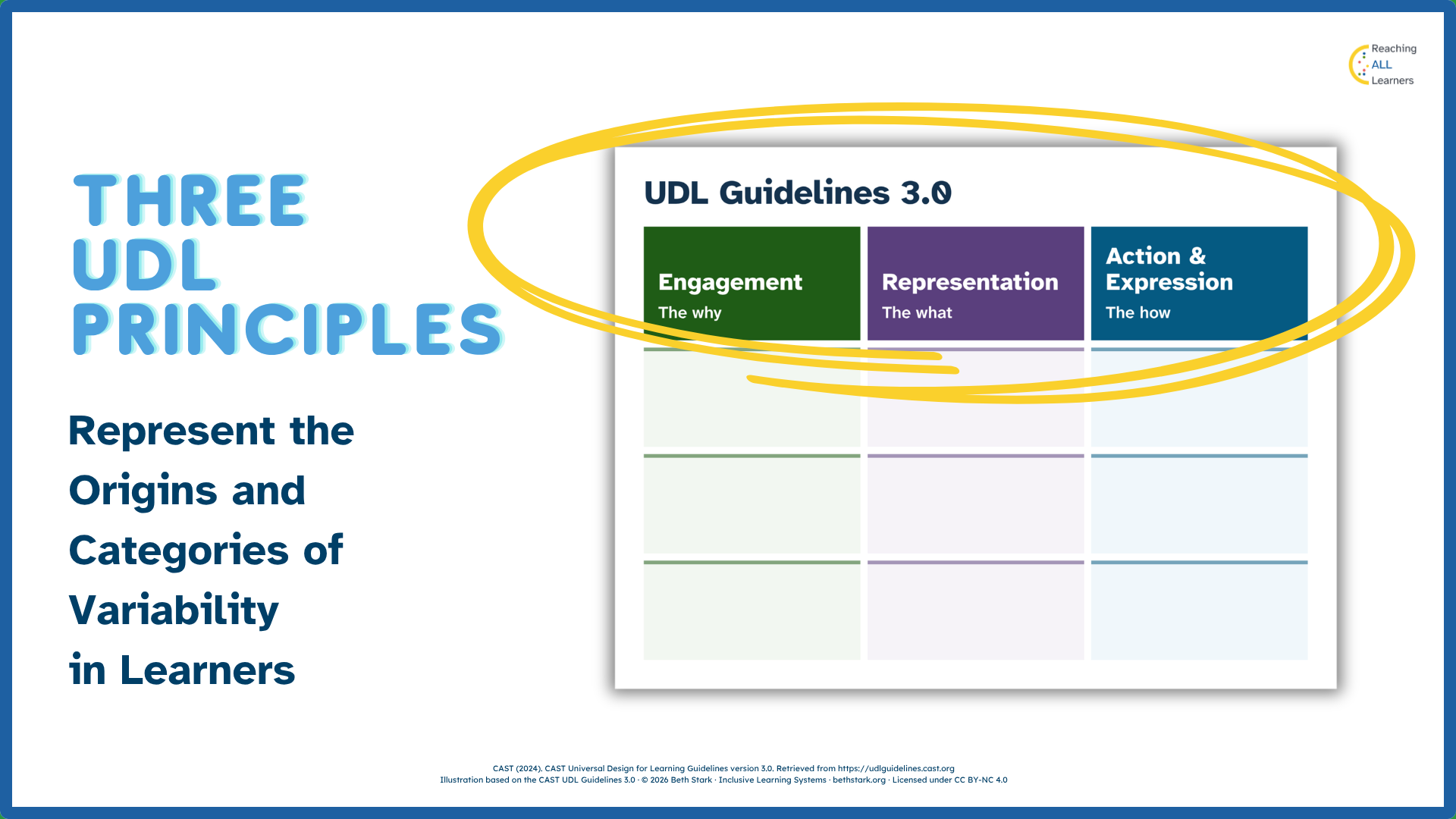
Engagement, Representation, and Action & Expression. The why, what and how of learning.

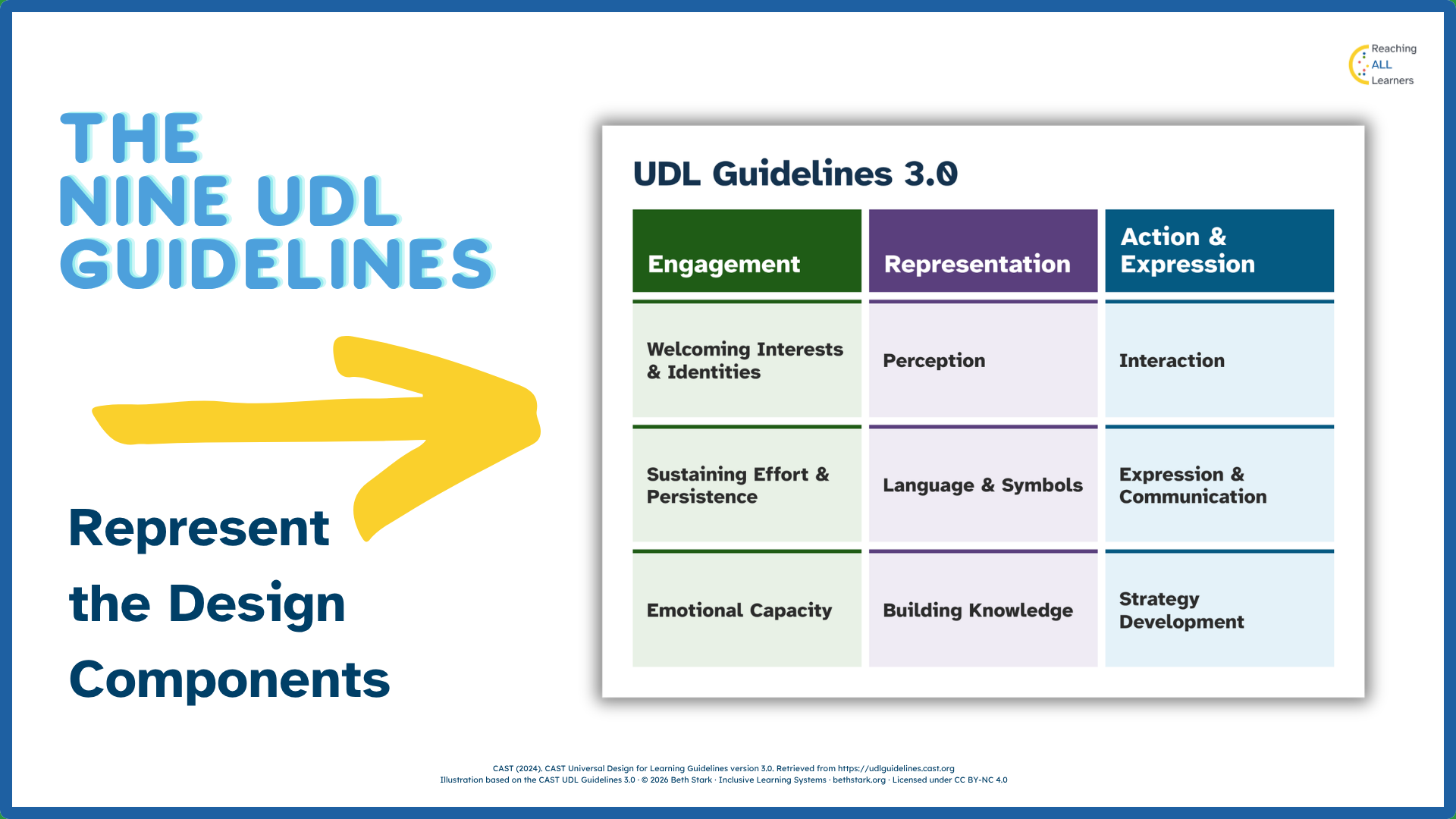
Three guidelines sit under each principle.

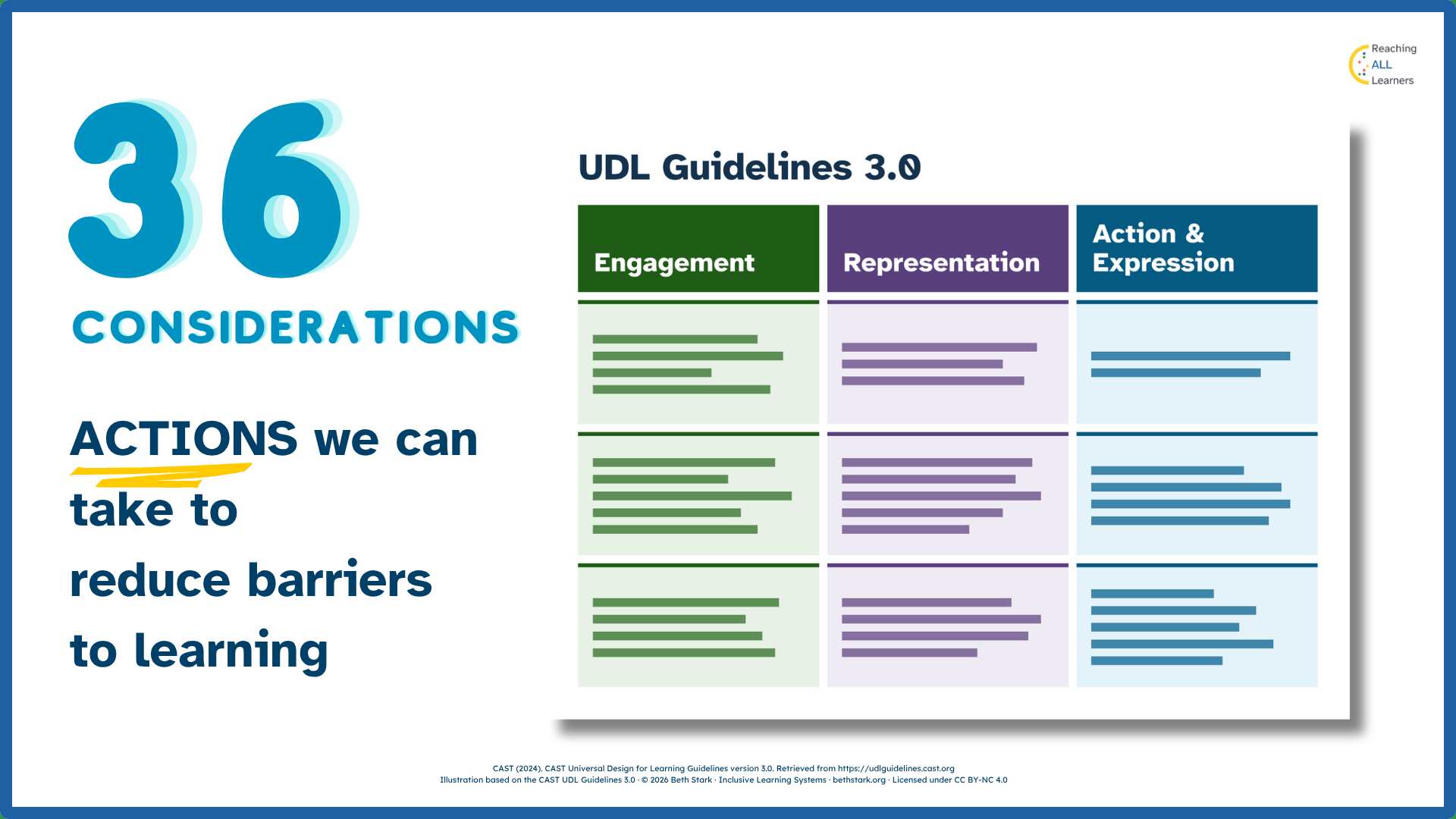
Actions we can take to reduce barriers to learning, grouped under each guideline.
This resource was created by Beth Stark, Inclusive Learning Systems. Licensed under CC BY-NC 4.0. The UDL Guidelines are © CAST.

Interactive
Try the UDL ExplorerExplore the UDL Guidelines by row (Access, Support, Executive Function), or search for a specific one by keyword.

Start with Access
Prioritizing Access: Creating the Conditions for Learner AgencyAn abridged poster of the CAST UDL Guidelines 3.0. It focuses on the Access row: Welcoming Interests & Identities, Perception, and Interaction. Access creates the conditions for learner agency.
Dr. Loui Lord Nelson has created a collection of resources to support us in deepening our understanding of UDL. The UDL Gears show four gears: Mindset, Skills, Practices and the UDL Guidelines.
To find out more about the books and resources Loui has created, visit her site, The UDL Approach.

Shared with permission from Dr. Loui Lord Nelson. The UDL Gears graphic © 2025 Loui Lord Nelson, Ph.D., licensed under CC BY-NC-ND 4.0. The quote on the slide is from Nelson (n.d.-b). The UDL Guidelines gear is the CAST UDL Guidelines (CAST, 2024a).

LiveBinder · With Dr. Loui Lord Nelson
Essential information about Universal Design for Learning for all educators and school leaders.
UDL Guidelines 3.0
Addressing Bias and Designing for IdentityTwo pieces from the UDL Essentials LiveBinder. Each summarises a CAST webinar on the UDL Guidelines 3.0, with questions to ask about your own design.
Every UDL design has four elements: goals, assessment, methods and materials.

Goals, assessment, methods and materials: what each one is, what UDL asks of it, and questions to ask about your own design.
The Four Design Elements slide comes from a larger collection of professional learning resources. The full collection is available to schools and learning organisations that work with me. To ask about it, email me.

Need a pause? Choose a short break from the Take a Break choice board.
Every UDL design has four elements: goals, assessment, methods and materials. Begin with the goal.

Flexible verbs for writing learning goals that leave room for more than one way to show learning, and inflexible verbs to avoid in goals.
Adapted with permission from Dr. Patti Kelly Ralabate, author of Your UDL Lesson Planner (2016).
Barriers live in our designs, so we can reduce them. Start with the card sort. Then bring a professional learning routine to your next meeting.
Interactive activity
Try the barrier card sortSort 30 cards, ten at a time. Each answer explains why the card is a barrier in the design or an important factor.
Sample
The Barrier Is in the DesignOne barrier example with its clues, ways to reduce it, and the UDL Guidelines and Considerations behind it.

Routines
The Barrier Is in the Design: Three Starting PointsThree professional learning routines for your next staff meeting or UDL professional learning community (PLC), with accessible slides.

From the Aiming for ALL Collection
This one-page crosswalk connects the Access row of the UDL Guidelines with accessibility resources for schools and learning organisations. Each resource sits under the UDL principle it supports.
The Aiming for ALL Collection has no-cost accessibility resources for every member of a learning community.
Collections of UDL approaches, tools, stories and examples. Start with the UDL Connections newsletter, then explore each collection on its own site.

Newsletter · By the Ohio UDL Collaborative
UDL Connections is a quarterly newsletter from members of the Ohio UDL Collaborative. Each issue looks at one UDL practice, links it to the UDL Guidelines and Considerations, and shares how schools use it.
Subscribe to UDL Connections (sign-up form, opens in a new tab) Read the latest issue (opens in a new tab)

Website
Universally DesignedBy Dr. Cary Torres, Dr. Kavita Rao and Dr. Jamie Sickel. Design principles and classroom strategies for meeting the needs of multilingual learners and learners with disabilities. For K-12 teachers, teacher educators and postsecondary educators.
Opens in a new tab
Website
UDL Resource FlipkitBy OPEN ACCESS, an initiative of Placer County SELPA with the California Department of Education and the California Collaborative for Educational Excellence. Teaching strategies and digital tools, organised by the UDL Principles and tagged to each Guideline and Consideration. Chosen to reduce barriers in the learning environment and in lesson plans, with support for accessibility and for multilingual learners.
Opens in a new tab
Website
Universal Design for Learning Strategy DatabaseCompiled by Jennifer Shimada at Relay Graduate School of Education. A planning process for removing barriers in lessons, with strategies for each Consideration under Engagement, Representation and Action & Expression. Based on CAST's UDL Guidelines version 3.0. For teachers of early childhood through secondary learners, with tags for culturally and linguistically diverse learners and exceptional learners.
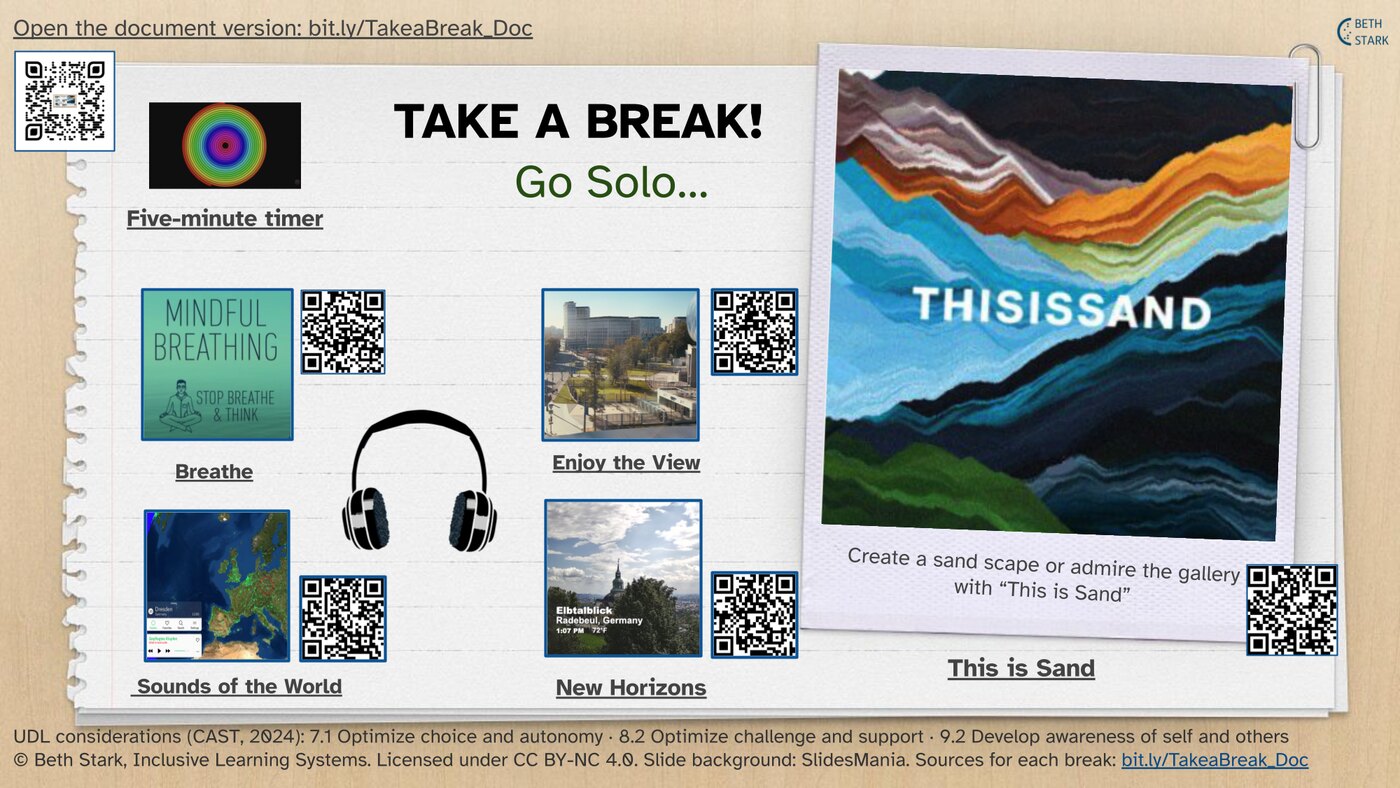
Opens in a new tabA pause for you, or for your learners. Choose the break that works right now.
Choice board · Google Slides
A choice board of short breaks, like a five-minute timer, mindful breathing or sounds of the world.
Open the choice board (Google Slides, opens in a new tab)
Opens in a new tabThe same six breaks as the slide, as a list. Each link opens another website in a new tab. Some of these websites play sound, and some work best with a mouse or touch screen.
APA 7 references for the resources on this page. Pictures on the cards for other sites are screenshots of each site's public page, taken on 11 October 2026. The LUDIA pictures are LUDIA's own.
CAST (2024a). CAST Universal Design for Learning Guidelines version 3.0. Retrieved from https://udlguidelines.cast.org
CAST. (2024b, October 21). Enhancing learner engagement with UDL Guidelines 3.0: Designing for identity [Video]. YouTube. https://www.youtube.com/watch?v=ZlpLN2I6hrI
CAST. (2024c, October 10). Guidelines 3.0: Addressing bias in the classroom [Video]. YouTube. https://www.youtube.com/watch?v=Yss7N1NYf2U&t=596s
CAST. (n.d.-a). Downloads. CAST UDL Guidelines. https://udlguidelines.cast.org/more/downloads/
CAST. (n.d.-b). Research evidence. CAST UDL Guidelines. https://udlguidelines.cast.org/more/research-evidence/
EarthCam. (n.d.). EarthCam: Webcam network. https://www.earthcam.com/
Hudelson, D. (Host). (n.d.). Special edition – The UDL Gears [Audio podcast episode]. In UDL in 15 minutes. The UDL Approach. https://theudlapproach.com/podcasts/special-edition-the-udl-gears/
Mindful breathing: Stop breathe and think [Video]. (n.d.). VideoLink. https://video.link/w/-CeI7CPNzS4
Nelson, L. L. (n.d.-b). UDL in 15 minutes table of episodes. The UDL Approach. https://theudlapproach.com/podcasts/udl-in-15-minutes-table-of-episodes/
Nelson, L. L. (n.d.-b). Why the UDL Gears were created and how to use them. The UDL Approach. https://theudlapproach.com/theudlgears/why/
Nelson, L. L. (2021). Design and deliver: Planning and teaching using Universal Design for Learning (2nd ed.). Paul H. Brookes Publishing.
Nelson, L. L. (2025, August 27). The UDL Gears. The UDL Approach. https://theudlapproach.com/theudlgears
Ohio UDL Collaborative. (2026). UDL Connections: Spring/summer [Newsletter]. Smore. https://app.smore.com/n/7whg5
PHCuber. (2017, December 19). 5 minute radial timer [Video]. YouTube. https://www.youtube.com/watch?v=tGFV1P7OL6E
Placer County SELPA. (2023). UDL resource flipkit. Open Access 2.0. https://www.openaccess-ca.org/udl-resource-flipkit
Radio Garden. (n.d.). Radio Garden. https://radio.garden/
Shimada, J. (2026, October 8). Universal Design for Learning strategy database: Home. Relay Graduate School of Education. https://relay.libguides.com/udl-strategy-database/home
Stark, B. (2022). Take a break! UDL choiceboard [Google Slides]. https://bit.ly/TakeABreakBoard
Stark, B. (2026a). The Aiming for ALL Collection (Version 2026.10) [Open educational resource]. https://bethstark.org/aiming-for-all/
Stark, B. (2026b). The barrier is in the design: A sample. UDL Resources. https://bethstark.org/udl-resources/barrier-in-the-design.html
Stark, B. (2026c). Flexible verbs for crafting goals. UDL Resources. https://bethstark.org/udl-resources/flexible-verbs.html
Stark, B. (2026d). Prioritizing access: Creating the conditions for learner agency. UDL Resources. https://bethstark.org/udl-resources/udl-access.html
Stark, B. (2026e). The UDL Access and Aiming for ALL crosswalk [PDF]. https://bethstark.org/aiming-for-all/pdf/udl-access-aiming-for-all-crosswalk.pdf (English)
Stark, B. (2026f). What we’re really talking about when we’re talking about Universal Design for Learning. UDL Resources. https://bethstark.org/udl-resources/talking-about-udl.html
Stark, B. (2026g). Who is Martha Skidmore? Why there is no average learner. UDL Resources. https://bethstark.org/udl-resources/martha-skidmore.html
Stark, B. (2026h). Why UDL? The goal of UDL is learner agency. UDL Resources. https://bethstark.org/udl-resources/why-udl.html
Stark, B., & Nelson, L. L. (2025). UDL essentials [LiveBinder]. LiveBinders. https://www.livebinders.com/b/3652562
Stark, B., & Rostan, J. (2026). LUDIA [Web app]. https://askludia.com/en
Thisissand. (n.d.). Thisissand. https://thisissand.com/
Universally Designed. (n.d.). Universally Designed. https://universallydesigned.education/
WindowSwap. (n.d.). WindowSwap: The calmest place on the internet. https://www.window-swap.com/
This site aims to meet WCAG 2.2 Level AA. Text aims for a contrast of at least 7 to 1.
You can change the font, text size, spacing and colours in Accessibility and Settings. Your choices stay on this device.
The site uses Atkinson Hyperlegible Next. You can switch to Lexend, OpenDyslexic or your system font.
My resources on this site are licensed under Creative Commons Attribution-NonCommercial 4.0 International (CC BY-NC 4.0). Resources by other professionals and organisations keep their own licences.